 Skip to content

How to Use Custom Patches to Build a Consistent Brand Identity Across Products?
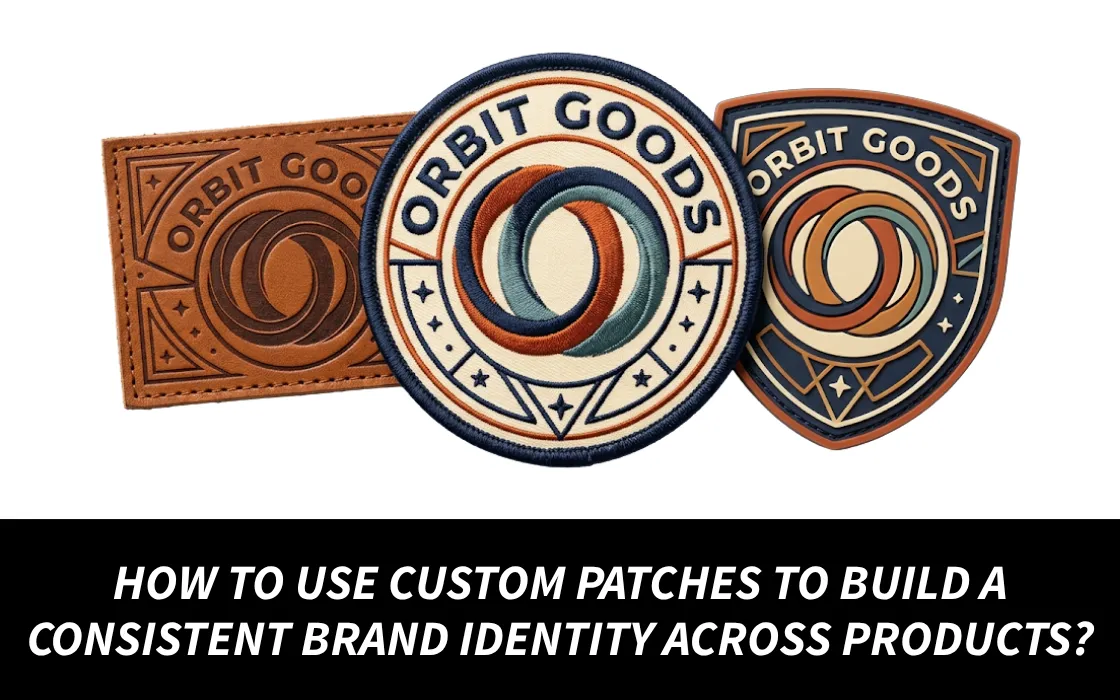
Even though a logo may look the same on your web page, your branding may not showcase the same when it is on jackets, hats, bags, uniforms, and other promotional items. Custom patches will help solve this issue by creating a logo that you can use over and over again in your branding. However, putting your logo on every patch does not ensure you will achieve consistency in branding.
A better strategy is to use the same colors, shapes, fonts, signs, and rules in the design of the patch without copying the patch to all the different items.
Research by Lucidpress suggests that businesses with steady branding can likely increase their income by 33%.

What Makes Custom Patches Part of a Brand Identity?
Brands achieve brand equity through custom patches once buyers can find out their brand through its look and feel even before they see its name.
For instance, a clothing company may regularly use:
- One logo
- 2 or 3 approved colors
- A recognizable border’s shape
- A consistent font
- A secondary logo for collections
- A standard location for a logo
With the help of such elements, they can produce a patch for all the products, including beanies, jackets, backpacks, hoodies, and caps without all items being the same.
Opinion: Avoid changing the design of every patch too much, as too many changes can make it harder to recognise the overall design.
Build a Simple Patch Branding System
Before making your first order, it is important to lay down certain rules that each patch set must follow in future and always, such as:
Brand Elements | Recommended Approach |
Logo | Use one master approved version |
Colors | Use your company colors |
Typography | Stick to one text style |
Shape | Determine 2–3 shapes you will work with over and over again |
Border | Apply the same border treatment |
Size | Set the sizes of your products |
Placement | Assign positions by product type |
Materials | Choose finishes that match your brand |
By following this rule, you can avoid a common situation when your site looks costly while your product is like a random promo.
Match Patch Designs to Different Products
There is no reason to use the same custom patch design on all items, instead change the way it is applied but maintain the brand’s identity.
On Custom Beanies
Use a relatively small logo patch that is recognizable at small size, while woven patches and PVC can be suitable when the design has delicate details that can be difficult to reproduce with embroidery.
On Jackets
Larger areas enable you to use a bigger embroidered logo, add secondary images and text. So it gives you more possibilities for applying different designs.
On Backpacks
The smaller logo patches will work fine and the hook-and-loop patches will allow your customers the choice on how they want to personalize their items.
On Hoodies
Smaller patches on the chest will give a unique brand recognition, while bigger ones on sleeve or back are there to make a strong statement.
The main idea is simple: do not change the brand logo, but change the way it is placed.
Create Product Families With Patch Variations
Custom patches can also play a vital role in managing various collections but still keeping them in line with the master brand.
For example:
Core Collection → Logo patch
Outdoor Collection → Logo + mountain symbol
Limited Edition → Logo + numbered patch
Employee Collection → Logo + team identifier
Event Collection → Logo + event name and year
A practical example is Microsoft. THE/STUDIO announced that it produces embroidered airmen patches and other custom pins for Microsoft staff, hires, product teams, and company events.
The main takeaway is how unique patch designs work for each individual group while at the same time keeping the brand identity intact.
Use the Same Brand Colors Across Every Patch
Inconsistency in color makes relevant products appear like they are from different brands. Imagine your branding using the navy color along with white and orange. If the same colors are used with patches often, it would make visual sense than mixing with different colors randomly for each product.
Before you go ahead with the production phase, please ensure to check:
- Color match with a brand
- Thread color availability
- Type of patch material
- Digital sample
- The size of the final product
This step plays an important role especially when you are working with different manufacturers or when you place a patch order after a long interval.
Use Custom Patches to Tell a Brand Story
A patch can convey more than just what your business is. Outdoor companies could have their patches use mountains, coordinates, compass symbols or trail signs. Sports companies could have their patches show mascots, jerseys, team symbols or years won. Fashion brands may want their patches to have collection names or hallmark symbols.
The best designs are designed to answer the following question:
“What will this patch communicate about the person who wears it?”
This inquiry has the chance of changing an ordinary patch into something that a person wants to wear.
Real Example: Bose Uses PVC Patches Across Branded Gear
Bose Professional has joined forces with THE/STUDIO to develop new PVC patches that highlight the company logo.
As reported in their case study, the patches feature a raised black logo over a white background and are made from PVC material that makes them both durable and resistant to water.
However, the important point is not that every business has to use PVC. Instead, the company needs to think carefully about its patch material, finish, logo method and application that they want to use.
A Practical Workflow for Consistent Brand Patches
- Use this process before placing your order.
- Gather all of your brand’s assets, such as logo, colors, types of font, and any secondary logos.
- Decide on the patches that you are going to create (e.g., embroidered, woven, PVC, leather, etc.).
- Create 2 or 3 main designs that can fit in several different types of products.
- Decide what measures your caps, jackets, bags, and clothes should have concerning the regular size and location.
- Create the exact drawings that the custom patch manufacturer needs.
- Get an electronic version of the drawing before production starts.
- Look through the colors, letters, borders, proportions, and materials.
- Give approval for a physical sample for bigger or expensive orders.

Quick Checklist for Brand-Consistent Custom Patches
Before approving your patches, ask:
- Is the logo consistent with the logos that are already approved?
- Are the thread colors the colors from your branding system?
- Can customers read the text in small fonts?
- Is the material of the patch suitable?
- Is the design clear without the name of the company?
- Can someone else recreate the patch?
- Is the patch matching your website and packaging?
- Is it possible for various patch design ideas to feel connected?
If all answers to these questions are positive, then you have a patch system instead of random designs.
The Bottom Line
Custom patches can help improve brand identity by allowing your visual identity to go from being what is on screens to being on products that people physically use and wear.
The best approach isn’t about placing the largest logo possible all over a product. It involves developing a system having colors, shapes, typography, materials, and symbols, and applying all the key elements of that system to each product.
Companies like Microsoft as well as Bose showcases how patches can help in the development of team identity, professional wear, as well as brand image.
The unexpected insight is that the word “consistency” doesn’t refer to making the product similar in terms of its appearance, but rather in terms of making different products connected.
Do you want to create a consistent brand identity with the help of your logo? Check custom patches at qualitypatches.com which have solid colors, materials, and sizes.